
Graphic Design
Color Palette Extractor: A Python Tool for Image Color Extraction
WiseLandStudio · September 7, 2026
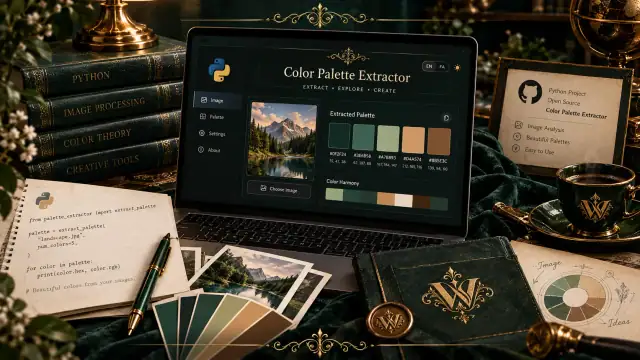
What is Color Palette Extractor? Color Palette Extractor is a graphical user interface (GUI) application written in Python. It uses the KMeans clustering algorithm to analyze an image's pixels and find the dominant colors. The output is a beautiful color palette with accurate RGB and HEX codes that you can use in web design, graphics, or anywhere else.
Key Features This tool is designed with the daily needs of a designer or developer in mind. Some of its most important features are:
Bilingual User Interface (Persian and English): You can easily switch the interface language between Persian and English with one click.
Displays Colors as RGB and HEX: After extraction, each color is displayed with its exact HEX code (suitable for the web) and RGB values (suitable for graphic software).
Adjustable Number of Colors: You can set the number of extracted colors between 1 and 10 to get a palette that perfectly fits your needs.
Image Preview: The selected image is displayed within the application so you can see it and evaluate the extraction result simultaneously.
Modern Dark-themed UI: The user interface features a dark theme with golden highlights to provide a pleasant visual experience.
Who is this tool for? Graphic and UI/UX Designers: For extracting color palettes from inspirational photos and using them in branding, website, or application design.
Web and Application Developers: To get precise color codes from an image and use them in CSS files or application styles.
Data and Image Analysis Enthusiasts: As a practical project to understand the application of clustering algorithms like KMeans in image processing.
Anyone interested in visual aesthetics: From a photographer to a social media manager who wants to coordinate their post color palettes.
How to Get and Run You can use this tool in two ways:
Method 1: Using the Executable (EXE) File - The Easiest Way If you are not familiar with Python and the command line, the best option is to download the executable file. It includes everything and doesn't require Python installation.
Download Executable (EXE) v1.0.0
After downloading, simply run the file.
Method 2: Running from Source Code (For Developers) If you are a developer and want to see or modify the code, you can clone the repository and run the project manually.
Clone the repository:
bash git clone https://github.com/SaeedForouzandeh/Color-Palette-Extractor.git cd Color-Palette-Extractor Install dependencies: To run the application, install the following libraries:
bash pip install opencv-python numpy scikit-learn pillow matplotlib Or, if a requirements.txt file exists, use this command:
bash pip install -r requirements.txt Run the application: After installing the libraries, run the application with this command:
bash python ColorPaletteExtractor.py Download Full Source Code (ZIP)
Project Structure and Technologies Used Understanding the project structure helps you work with it better:
text ├── ColorPaletteExtractor.py # Main application file ├── logo.png # Application logo ├── README.md # Project documentation └── requirements.txt # List of required libraries Key technologies used in this project:
Python: The primary programming language.
OpenCV (cv2): For reading and initial image processing.
scikit-learn: For implementing the KMeans clustering algorithm to find dominant colors.
NumPy: For performing numerical calculations on pixel arrays.
Matplotlib and Pillow: For displaying and saving the color palette.
Tkinter: For creating the graphical user interface (GUI).
How the Application Works The application's workflow is very simple, step-by-step:
The user selects their desired image through the user interface.
The application uses the OpenCV library to load the image and read its pixels.
The KMeans algorithm from scikit-learn groups the pixels based on color similarity into the specified number of clusters (the user-specified color count).
The center of each cluster is calculated as a dominant color.
Finally, these colors are displayed along with their RGB and HEX codes.
Conclusion Color Palette Extractor is a simple yet powerful tool that makes extracting color palettes very easy for designers and programmers. With its bilingual support and attractive user interface, it can be a constant companion in your creative projects.
GitHub Repository: https://github.com/SaeedForouzandeh/Color-Palette-Extractor
Download Executable (EXE): https://github.com/SaeedForouzandeh/Color-Palette-Extractor/releases/download/v1.0.0/ColorPaletteExtractor.exe
Download Source Code (ZIP): https://github.com/SaeedForouzandeh/Color-Palette-Extractor/archive/refs/heads/main.zip
If you have questions, suggestions, or ideas for improving this tool, I'd be happy to hear them in the Issues section of the GitHub repository.