
Digital Craft
Logo File Formats Explained: SVG, PDF, PNG, and WebP
Wiseland Studio · September 20, 2026
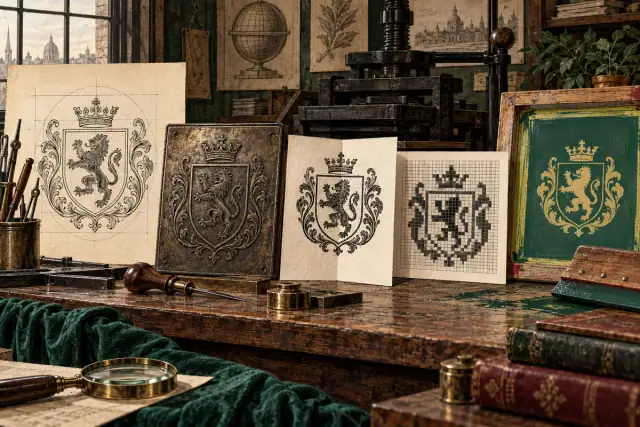
Which Logo File Format Should You Use?
A professional logo package contains several files because one format cannot serve every production method. The key distinction is vector versus raster. Vector artwork stores shapes mathematically and can scale without losing edge quality. Raster artwork stores a fixed grid of pixels.

Keep an editable vector master
AI or another native source file is the working master. It should remain archived with linked type converted or packaged appropriately. SVG is usually the best lightweight vector format for websites and digital products. A press-ready PDF is widely accepted by printers and can retain vector shapes and colour profiles. EPS remains useful for some older production workflows.
Use transparent PNG only where needed
PNG supports transparency and is practical in office documents, presentations, and platforms that cannot accept SVG. Export it at the size required or larger. Enlarging a small PNG creates softness; changing its extension to SVG does not reconstruct vector geometry.
Know when JPG or WebP makes sense
JPG has no transparency and introduces compression artefacts around sharp edges, so it is rarely the preferred logo file. WebP is excellent for photographic and complex web images, but a simple logo is often smaller and sharper as SVG. Use WebP for composed brand graphics, not as the only logo master.
Request a usable delivery set
- Editable master and print-ready vector PDF
- Optimised SVG for the website
- Transparent PNG in practical sizes
- Full-colour, black, white, and approved one-colour versions
- Horizontal, stacked, symbol-only, and small-size variants where designed
- A short guide covering clear space, minimum size, backgrounds, and colour values
Before sending a file to production, confirm bleed, colour mode, spot colours, overprint, minimum line weight, and the supplier's specifications. For a new identity system, explore bespoke logo design or contact the studio.